Building Your Personal Brand

On December 3rd, I am partnering with the St. Louis Salesforce Admin User Group to talk about Personal Branding at their “Ask an Expert” round table. To help me prepare, I put some thoughts down to share at the meeting so I wanted to share them on my blog as well.

Here are some tips on building your Brand:

  1. Just get Started! Share a Post, a Tweet, a Comment – just do SOMETHING.
  2. Understand your Purpose. Draft a Mission Statement. Find your Niche.
    1. I want to be a thought leader (and share things that have worked well for me) and find resources to help me on my journey to CTA.
  3. Always be Authentic. Share YOUR Voice.
  4. Set Goals for yourself. Get to X Followers. Post 1 time per week/month.
    1. I am terrible about this – a goal for 2022 is to have goals!
  5. Build your Branding. Get a Logo from Canva. Post a picture of yourself.
    1. Arch-Force: ARCH is for my hometown (St. Louis) and my goal of becoming an ARCH-itecht.
    2. I used Canva for my Arch-Force logo. It isn’t fancy but it’s a start.
  6. Check in with yourself. Is my investment of time paying off? How can I adjust my strategy?
    1. I’ve connected with lots of fantastic people – including getting to be at the Ask an Expert event! Building online connections to hopefully speak at a Dreamin event and Dreamforce eventually.
  7. Understand your Platform
    1. Twitter: Real time/small tidbits.
    2. LinkedIn: Longer thought provoking posts.
    3. YouTube: Videos in a stored Library.
    4. Blog: Your own Site (I use WordPress)

Keep in Mind!

  1. The Internet is Permanent. Be kind!
  2. Time Management is crucial. Social Media is designed to suck you in. Make sure YOU control IT and IT doesn’t control YOU.

Helpful Links:
  1. https://www.salesforceben.com/5-simple-steps-to-create-a-personal-brand/

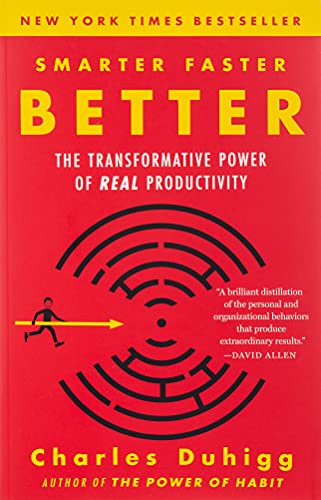
Motivation (Book Thoughts: ‘Smarter Faster Better,’ by Charles Duhigg)

I’ve been trying to read more Personal Development books this year (instead of just the latest Star Wars novel – on a sidenote, The High Republic books are REALLY GOOD!) and finished “Smarter Faster Better” by Charles Duhigg recently.

I wanted to share some of my takeaways from the book since it resonated deeply with me related to Motivation. With Social Media, you see other people doing BIG THINGS and it’s easy to get envious. With smartphones, Netflix, video games, Instagram (and the list goes on) it’s easy to get endless distracted. So how can you take a “pause” and find a way to motivate yourself and your own goals? Here is a mix of my own thoughts and topics he covers in the book.

First, find an INTERNAL “locust of control.” Tell yourself you can (and WILL) control your destiny. Find one small thing you can do to start working towards a goal. For me, it is learning to code. Code has always scared me. It looks like complete nonsense to me. But if I want to reach my #journeytoCTA goal it means I need to actually learn the “Technical” in CTA. So I started with Apex Academy (thank you David Liu and SFDC99), bought the Focus on Force study guides and practice exams for Platform Developer I, and started small.

Your Action: Make one small decision to put you on the path to your goals.

Second ask yourself the “Why?” Why do you want to achieve that goal? Is it to enter a new career and find new passion and inspiration? Is it to better provide for your family by being able to increase your salary? For me, it’s being able to provide for my family, and find a career where I can make a meaningful difference – which I find in the Salesforce Ohana.

Your Action: Make a list of 3 reasons why you want to achieve the goal from Step 1.

Third, try and think different. Coding is hard for me. But instead of thinking I’m learning something HARD I think I’m learning something invaluable. This leads to a focus on Mental Models. I can see myself learning to code, going through Apex Academy and study guides and Trailhead learning more and passing the Platform Developer I exam.

Your Action: How can you think different about your goal to help you find the motivation? Build that Mental Model where you see yourself succeeding.

Fourth, GOALS on your path to your Goals. Have both short-term and long-term goals. Those small short term goals give you “Cognitive Closure” to help motivate you on the path to larger goals. That small goal can be “review this section” in the Focus on Force study guide but you can find satisfaction in completing it.

Your Action: Name 1 short-term (next 1 year), 1 mid-term (next 3 years) and 1 long-term (next 5 years) goals.

Fifth, find someone to help motivate you and encourage you. If you hang around people who focus on distractions you will focus on distractions.

You Action: Find someone in the Ohana who can help encourage you.

I hope you feel motivated by this post. I feel motivated writing it! Now excuse me, I’m going to do some studying for Platform Developer I.

Certifications vs Experience

I’ve seen a few posts lately talking about Experience vs Certifications, and I wanted to chime in with my own two cents.

Studying for Certifications has given me the knowledge to get more involved in Projects and get more EXPERIENCE.

The experiences I’ve had from that has enabled me to study and earn more CERTIFICATIONS.

Everyone seems so focused on “which is better” that we forget that they work together to drive your overall career.

My wife and I had these ugly yellow outlets in our house, so I watched a YouTube video and was able to swap them for some nice white outlets. I was able to efficiently translate “head knowledge” (learning) to “real world experience” (swapping power outlets). Again, they work together – learning leading to real world experience.

At the end of the day, be kind. Someone may be focused on certifications because of free or inexpensive online learning options to move into a new (awesome!) Salesforce career from a career with limited opportunities for real world experience. Someone may have loads of experience and no certifications and we should applaud them for their wealth of knowledge. Everyone has a different background and a different experience.

What do you think? How many certifications do you have? Why have you (or have you not) pursued them?

Salesforce Starter Reports: Increase the ability of your Users to create Reports for themselves, by themselves.

In an ideal world, Salesforce is the Single Source of Truth (“SSOT”) for information in your Organization. Having it be the SSOT also means that many end-users (Sales, Marketing, Sales Operations, Finance, Service, etc.) are going to want to pull Reports out of the system to answer questions like:

  • How is my forecast looking for Q1? Q2?
  • What is the ROI on our most recent webcast? And trade show?
  • How many calls are my Reps making? How many meetings?
  • How many cases came in last week? Last month?

These questions tend to be variations of the same theme. However, it can be cumbersome having to start from scratch each time (choosing from 100+ Report Types) or trying to find a Report you can copy in the hundreds (or thousands) of Reports currently floating out there with helpful names like “Customer List FES”, “Webinar Contacts”, or “Copy of Pipeline”.

Even once a decent starting Report is found, as you layer in With/Without conditions, object relationships, filters, etc. it can quickly get overwhelming for End-Users to figure out how to get from point A to point B.

To help solve this problem, I recommend creating “Starter Reports.” Think of these as “Report Type” Reports that users can start with. It saves both end-users and Report Analysts time by curating a list of Reports to answer common questions in your organization, that can quickly be modified to meet specific criteria. Here is an example:

As you can see, we have two reports pre-built. Since we have two Asset Record Types, one for tracking Customer information and one for tracking Competitor Asset information, we created one Report for each that includes a filter to only include the appropriate Asset Record Types. Based on your org, some common Starter Reports might include a standard Opportunities with Products “Pipeline Report”, or a Leads with/without Campaigns “Campaign Measurement” Report. The possibilities are endless!

We created a Guide to help Users with better understanding how to use these Starter Reports. Our hope was to empower Users in two ways:

  1. Provide some basics on Reports in Salesforce.
  2. Understand the types of information provided by each Starter Report.

Below is the information we shared:

Salesforce Reports Overview

Report Types in Salesforce are the building blocks of Reports. They link together related Objects for Reporting purposes.

  • Report Types are linear. It’s like clicking through records in the Related List.
    • From Account, you can click into Opportunities and then into Opportunity Products.
    • Report Types cannot pull in data from unrelated objects. For example, you can’t combine Account+Contact and Account+Opportunity information since they are non-linear, and both start from Accounts.
  • Report Types can build Object relationships using WITH or WITHOUT  or WITH/WITHOUT related records
    • If an “Opportunities WITH Products” report is created, it will not pull in any Opportunity records WITHOUT related Product records.
  • Once a Starter Report is chosen, “Save As” to the folder you’d like BEFORE modifying fields and filters.
  • To Export click on the down arrow in the Report’s top right hand corner and select Export. Depending on the size of the file, you may want to switch to “Details Only” and set the format to CSV.
  • There are standard “Filters” in Salesforce for certain objects. These include:
    • My Territories: Only pulls records for your Territory.
    • My Territory’s Teams: Pulls records for your Territory and below it
    • My Team: Pulls Records related to your Role for the team you manage.
  • Linking together Reports can be done using the 18 Character RecordID.

Starter Reports

For each of the Starter Reports, we provide the following information:

  1. Objects included (Accounts WITH Contacts)
  2. Description: This report includes all Accounts with related Contacts.
  3. Questions it answers: What Accounts do we currency have in the system? Who are our Prospects? Who are our Clients?
  4. Native filters (with a description): My Territory’s Teams, My Accounts.
    1. This will depend on your Org. We don’t have Account “Owners” so the My Account filter isn’t applicable for us.
  5. Limitations: If an Account doesn’t have a related Contact, it will not get pulled into the Report. This will not be able to pull in the Assets (services) a Customer is using. You will need to also pull an “Accounts with Assets (Customer)” Report and combine them outside the system using the 18 Character “AccountID” field.

What now?

  1. Identify common reporting requests received to identify what Starter Reports would be helpful in your organization.
  2. Find the right place to store the Starter Report guide information.
    1. Do you have a Quip page? Confluence? A PDF in your files library?

Sidenotes: 

  • We found this approach helps Admins save time as well. If a modification is needed, that edit can be made directly in the Starter Report instead of having to go into Setup and modify the Report Type directly. Fewer clicks!
  • The starting field layout can be easily updated as you create each starter report to pull in the relevant fields, and place them in a natural order. Your end-users will thank you!

Salesforce Data Governance: Identify an “Owner” for Each Piece of Data

Salesforce as your Single Source of Truth (“SSOT”) means everyone in your organization (Finance, Marketing, Sales, Service, etc.) will be updating and maintaining information in the system. This also means that everyone in your organization (Finance, Marketing, Sales, Service, etc.) will be pulling that information out of the system for reporting purposes.

Since not every piece of data in the system has an “Owner”, how can your users know who to partner with to resolve any questions?

  • What if a Contract Date looks off?
    • Why is the expiration date after the original contract date?
  • What if a customer’s Order information is off?
    •  This client has never purchased Widgets from us before, so why do we show they purchased 10,000 units yesterday?

To help resolve this challenge, we recommend instituting a comprehensive Data Governance model. This helps each team using the system to know what they are responsible for, and helps users pulling data from the system to know who is responsible for maintaining the data they are using.

There are 4 buckets in this RACI:

  • Responsible: Initially creates and/or maintains the Record.
  • Accountable: Ultimately responsible for the accuracy of the record.
  • Consulted: Asked for feedback on changes in the record.
  • Informed: Proactively informed of changes.

Using this perspective, a matrix similar to the one below can be created:

ObjectSales (RACI)CommentContrat OperationsComment
AccountResponsible
Accountable
Find the “Account Owner” on the Account PagesN/AN/A
ContactResponsible
Accountable
Find the “Account Owner” on the Account the Contact is related toN/AN/A
ContractAccountableFind the “Account Owner” on the Account PagesResponsibleSubmit a Support Request to contracthelp@mycompany.com
Salesforce Data Governance

Some things to keep in mind:

  1. Informed means proactively informed.
    1. Sales should be proactively informed of Marketing Campaigns and Marketing should be proactively informed of Sales Campaigns being created so they can partner together and coordinate plans.
  2. Consulted is used for things like Reports – if you are pulling a report of Contact data, the Contract Operations team will want to provide input.
  3. The lifecycle of a Record is to create, maintain, and ensure accuracy. We split Responsible to cover the first two, and Accountable to cover the last one. This means a Team can be both Responsible and Accountable for a Record. Sales creates and maintains the Account Record, and is ultimately accountable for ensuring it’s accuracy. If the address changes because they move, Sales would be one of the first to learn about it to make the update in salesforce.

Once finalized and approved, this model should be posted in a universally accessible place – such as a Salesforce intranet site.

What next?

  1. Make a list of your SalesForce objects and teams that currently use Salesforce. Identify a single stakeholder for each team who can provide final approval on the Data Governance model.
  2. Make a preliminary Data Governance model with a small strike team. This will allow for a quick first draft.
  3. Meet with the stakeholders and give them a defined period of time (2 weeks is what we used) to provide feedback. If no feedback is received, Silence is acceptance.
  4. Post the model publicly. This will help keep everyone informed of who is responsible for what, and keep the right team accountable for data accuracy in the system.

SIDENOTE:Having a Data Governance model is another Salesforce Admin/Business Analyst lifesaver by allowing them to focus on the structure and maintenance of the system while identifying the right teams to own the data in the system.